Guests
Know the day
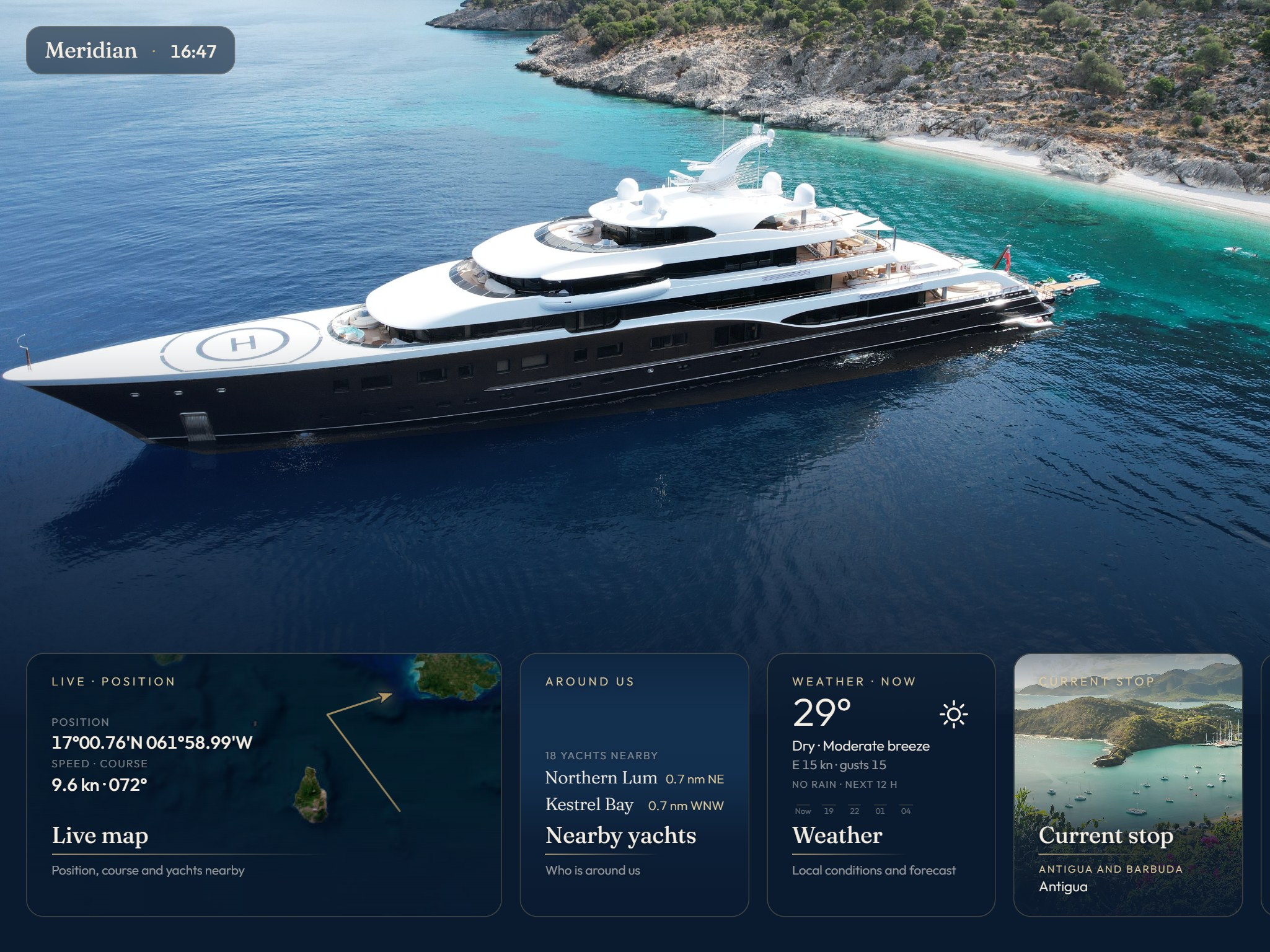
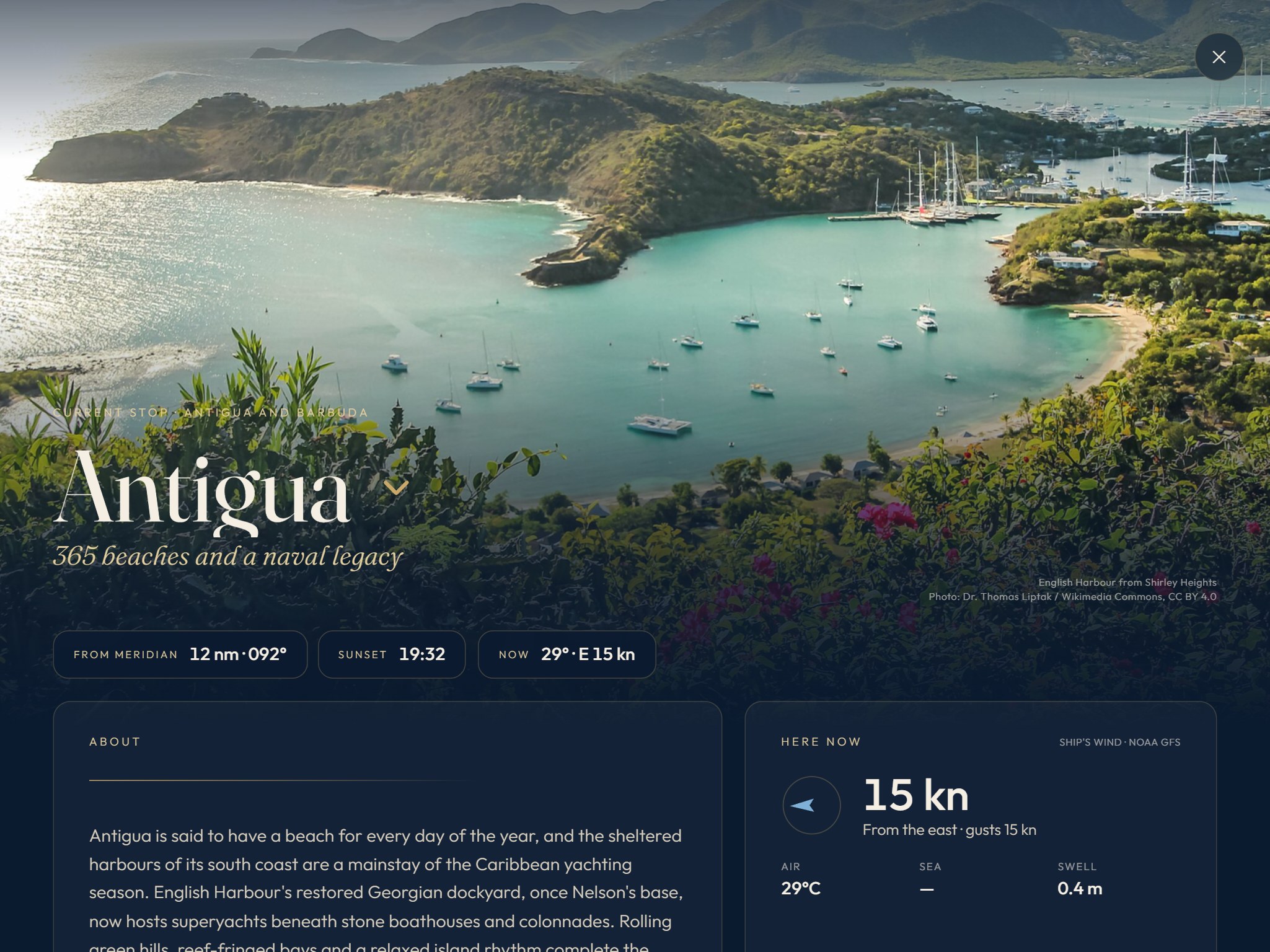
Where you are, where you’re going, what’s on next and what’s for dinner. At a glance on the home screen, in detail one tap away.
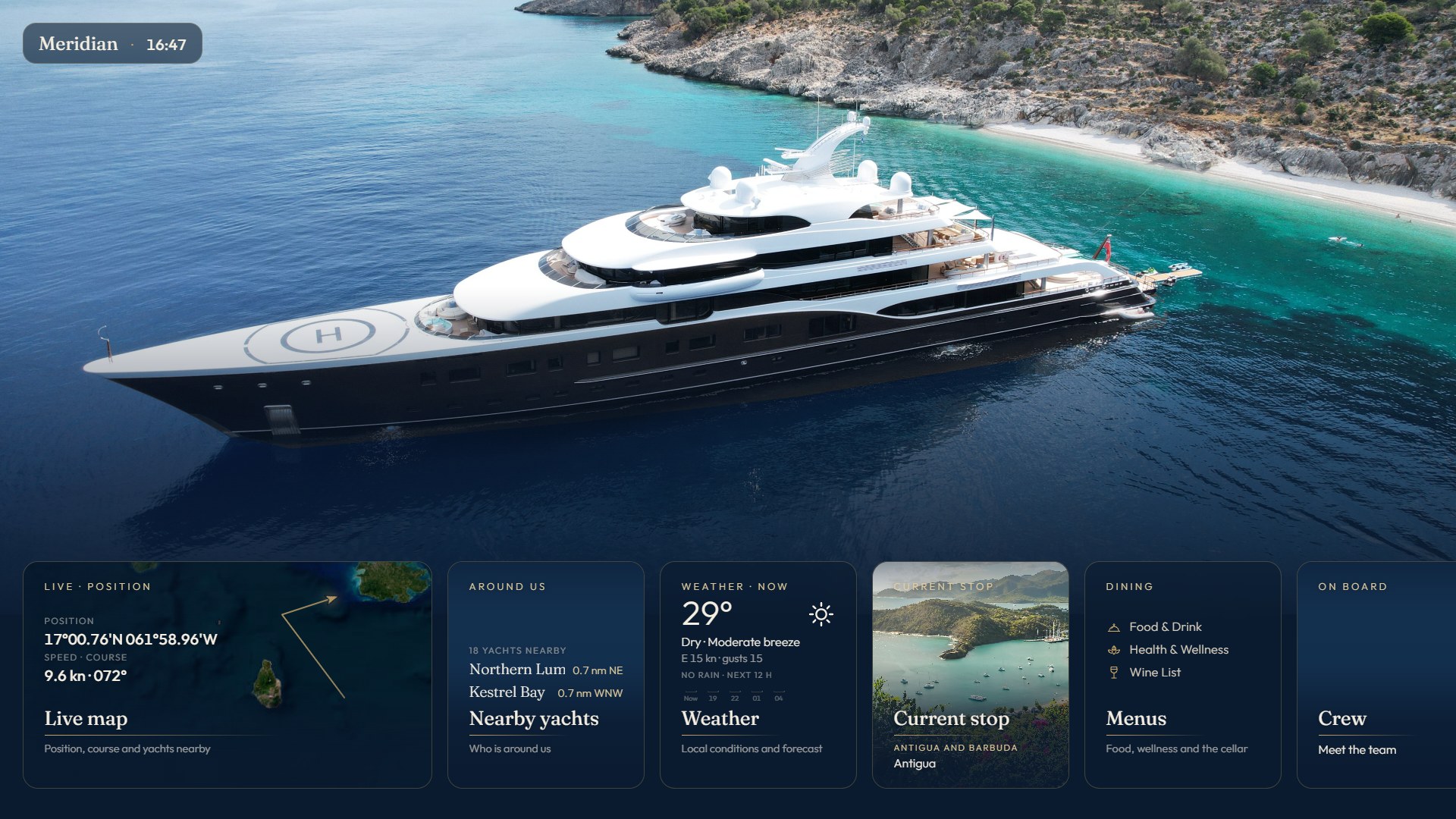
The guest and crew app for superyachts
Live position, weather, today’s plan, the menus, the crew and the safety briefing on the cabin iPads and salon TVs, in one calm look that matches the yacht. Kept up to date by your crew.
01 · What it is
Onboard brings the yacht’s live data and the crew’s content together on every screen: the iPads in the cabins and the TVs in the salons. The crew edit it in one web admin, and every change reaches every screen at once.
Guests
Where you are, where you’re going, what’s on next and what’s for dinner. At a glance on the home screen, in detail one tap away.
Crew
Itinerary, menus, WiFi codes, messages and crew profiles are edited in one admin, drafted, then published to every screen.
The yacht
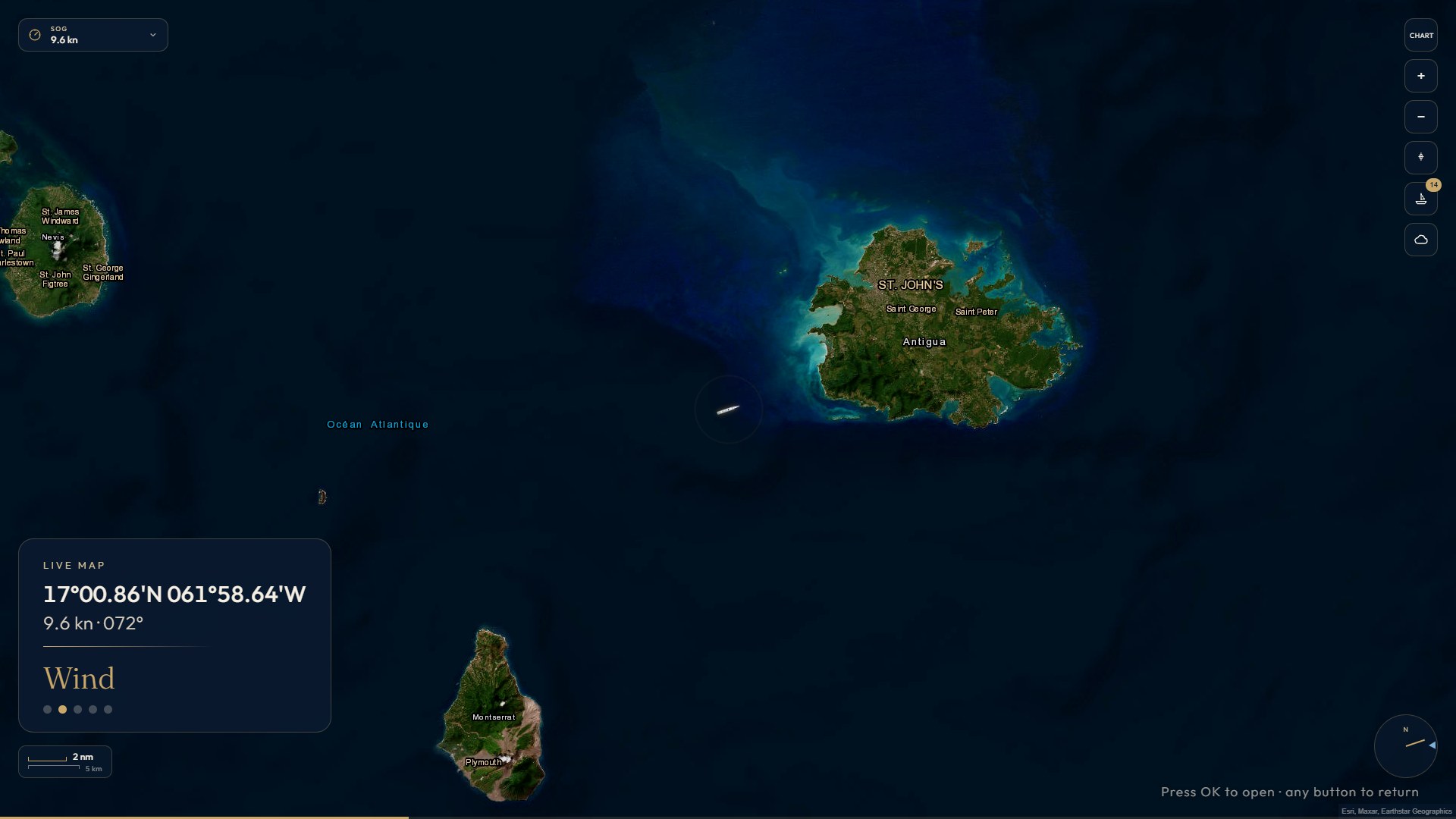
Position, speed, wind and depth come straight from the yacht’s NMEA instruments; nearby traffic from AIS.
02 · Live at sea
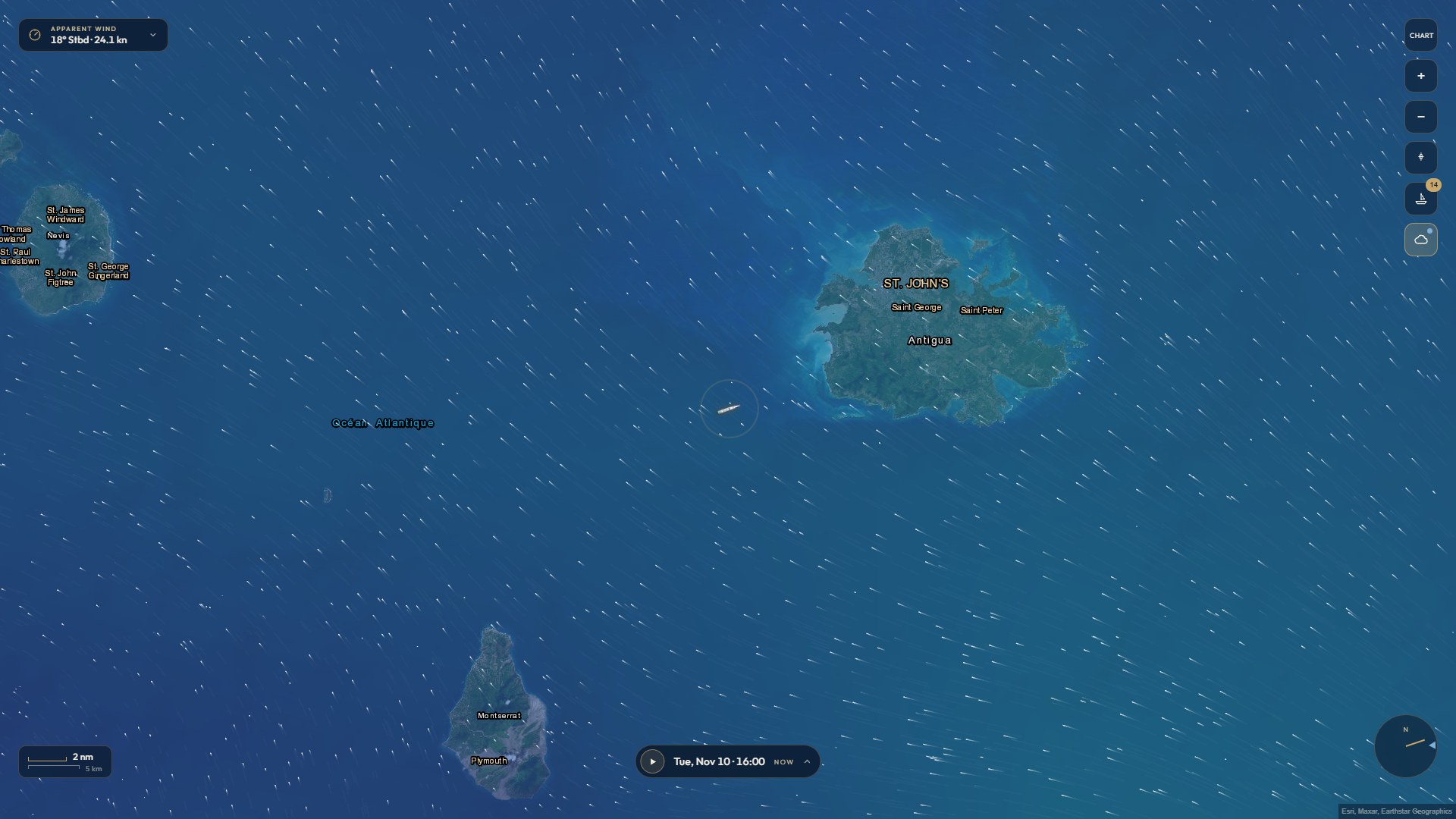
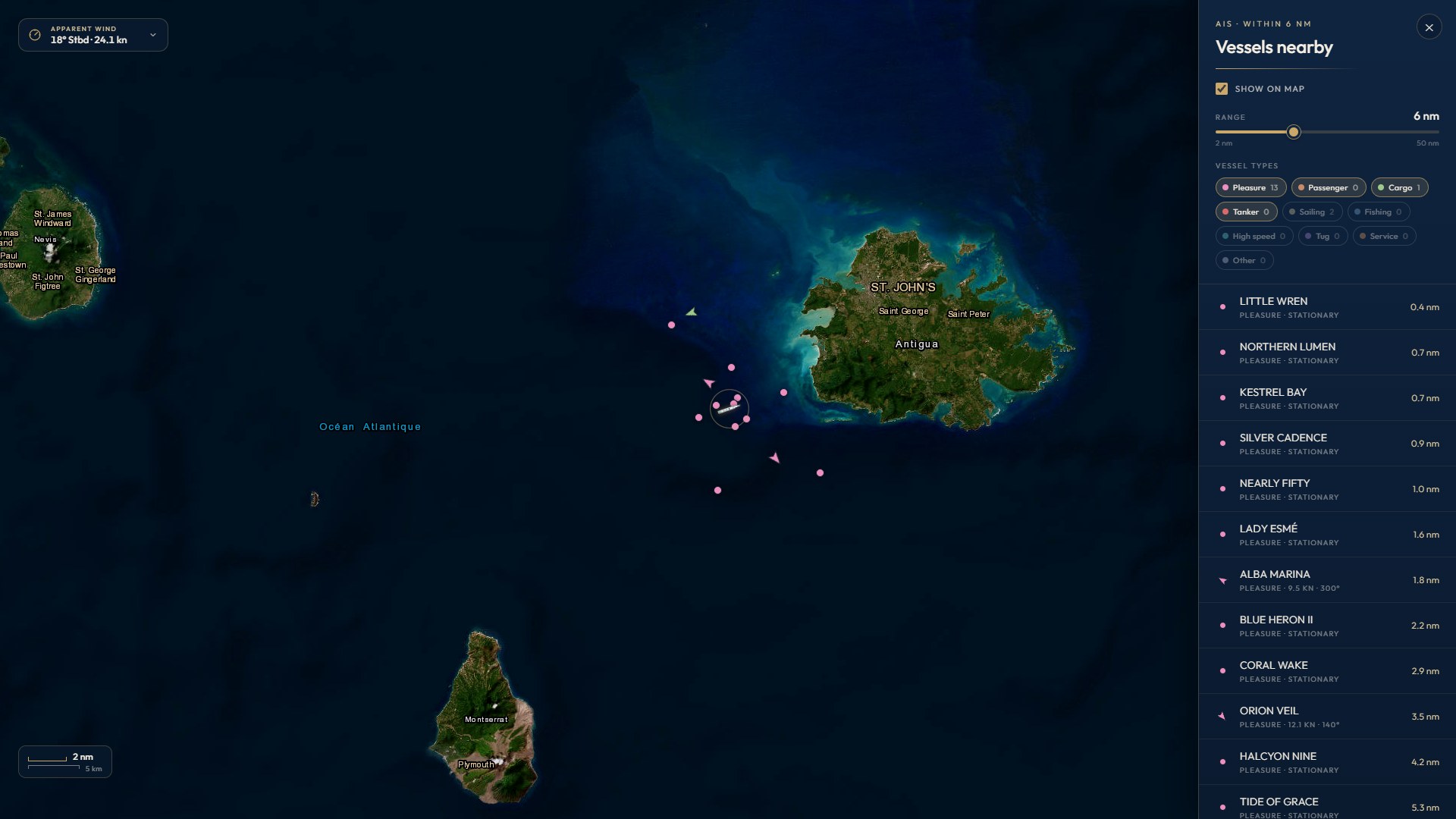
Chart or satellite view with the yacht’s track, nearby vessels and forecast layers for wind, swell, air temperature and rain, played forward hour by hour.
Who’s anchored next to us and who’s passing, from AIS: type, length, builder, distance and where they’re bound, with photos where known. Your own tender shown on the map.
03 · Hospitality
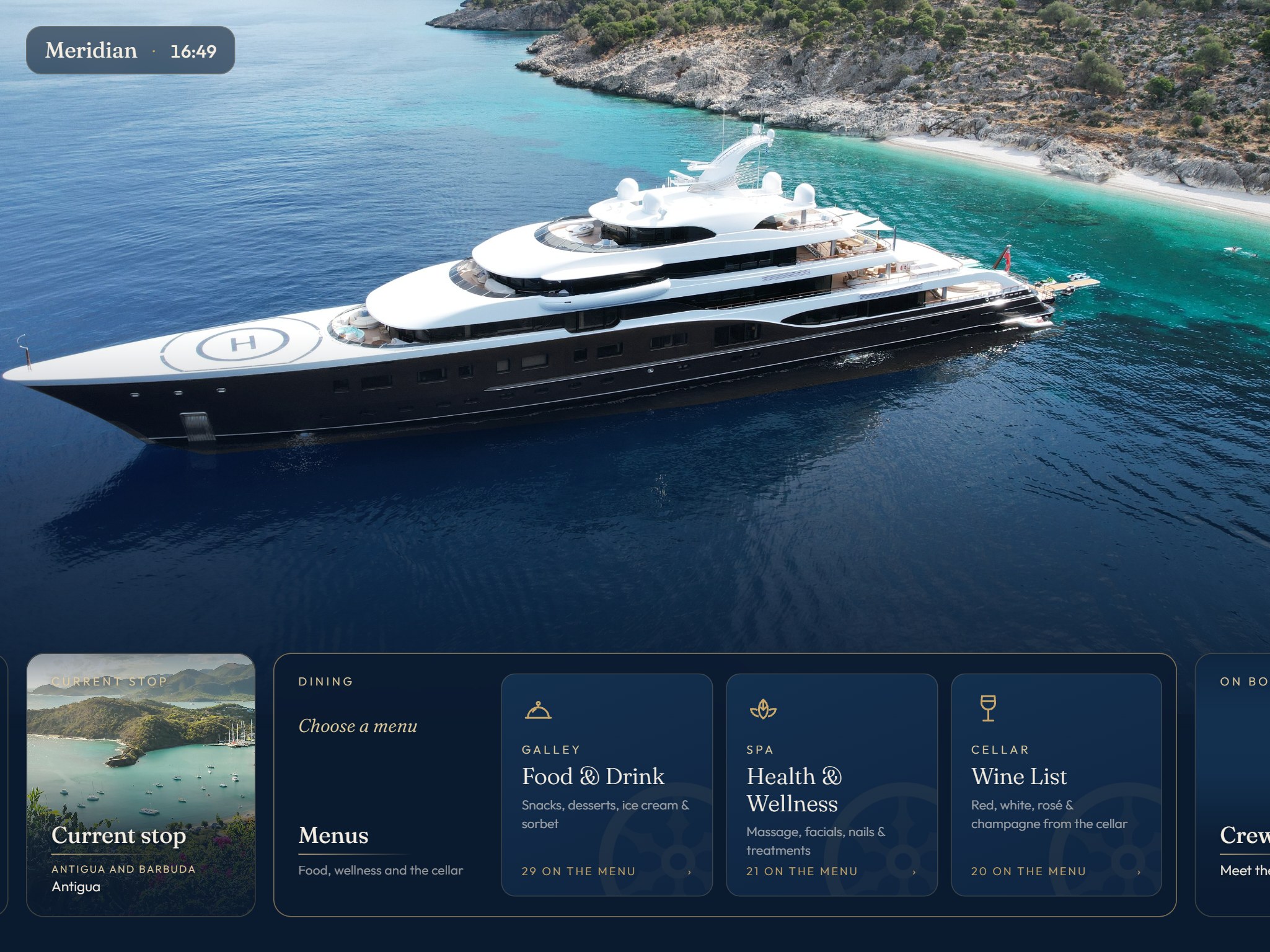
Food, wellness and the cellar as pages guests can search, with tasting notes on every wine. The chef shows or hides a dish in a moment.
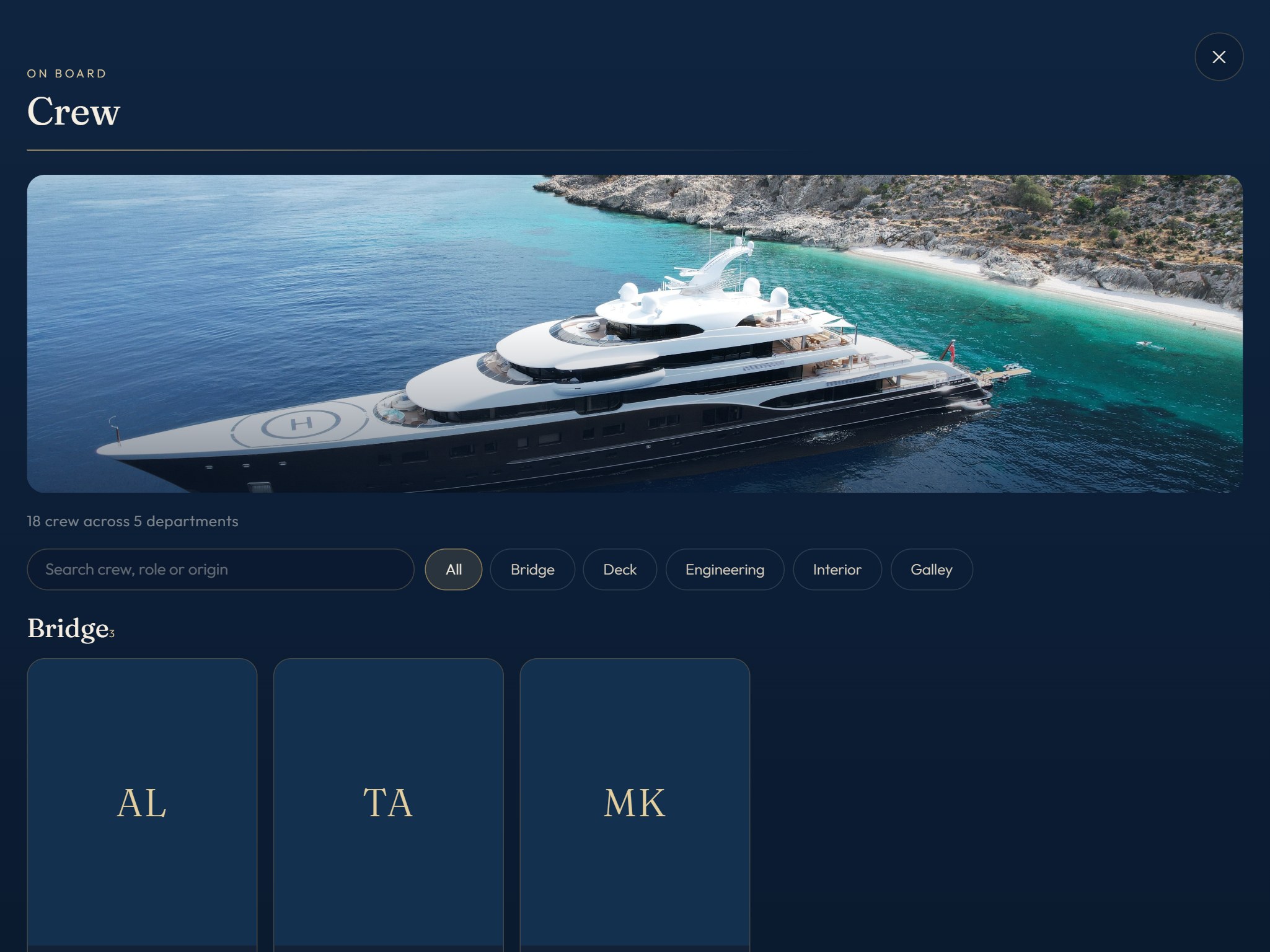
A profile for everyone on board: photo, role, where they’re from and a few words, grouped by department.
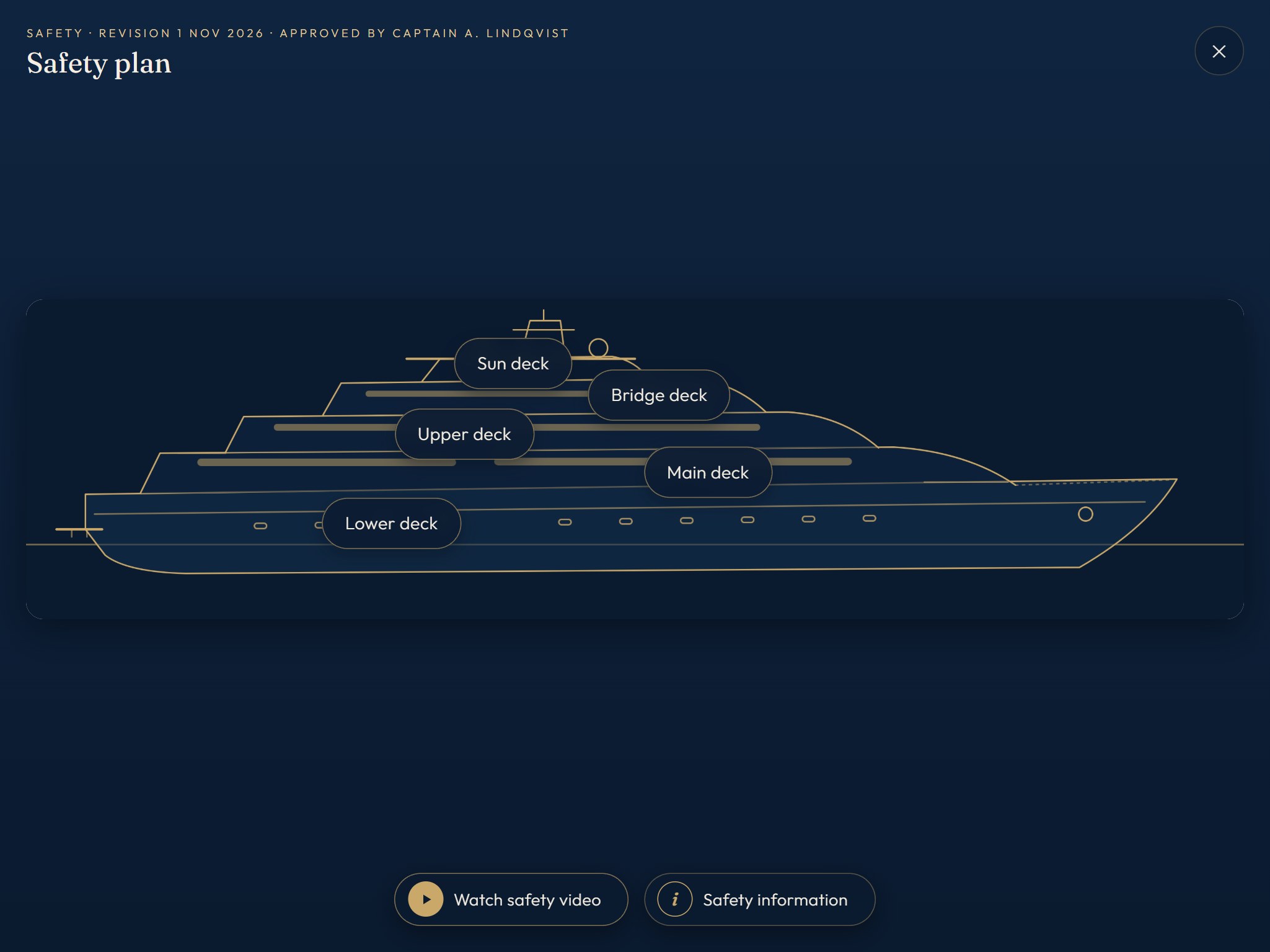
The network and a QR code to join, per cabin if you like. Muster stations on the deck plans and the safety video.
04 · The wine database
Type a producer, a wine, a region or a grape, and pick the bottle. Onboard fills in the rest: region, classification, grapes, tasting notes, a short description and what to serve it with. About 330 widely stocked wines, from the great Champagne houses and Bordeaux to Burgundy, Tuscany, Rioja, Napa and New Zealand.
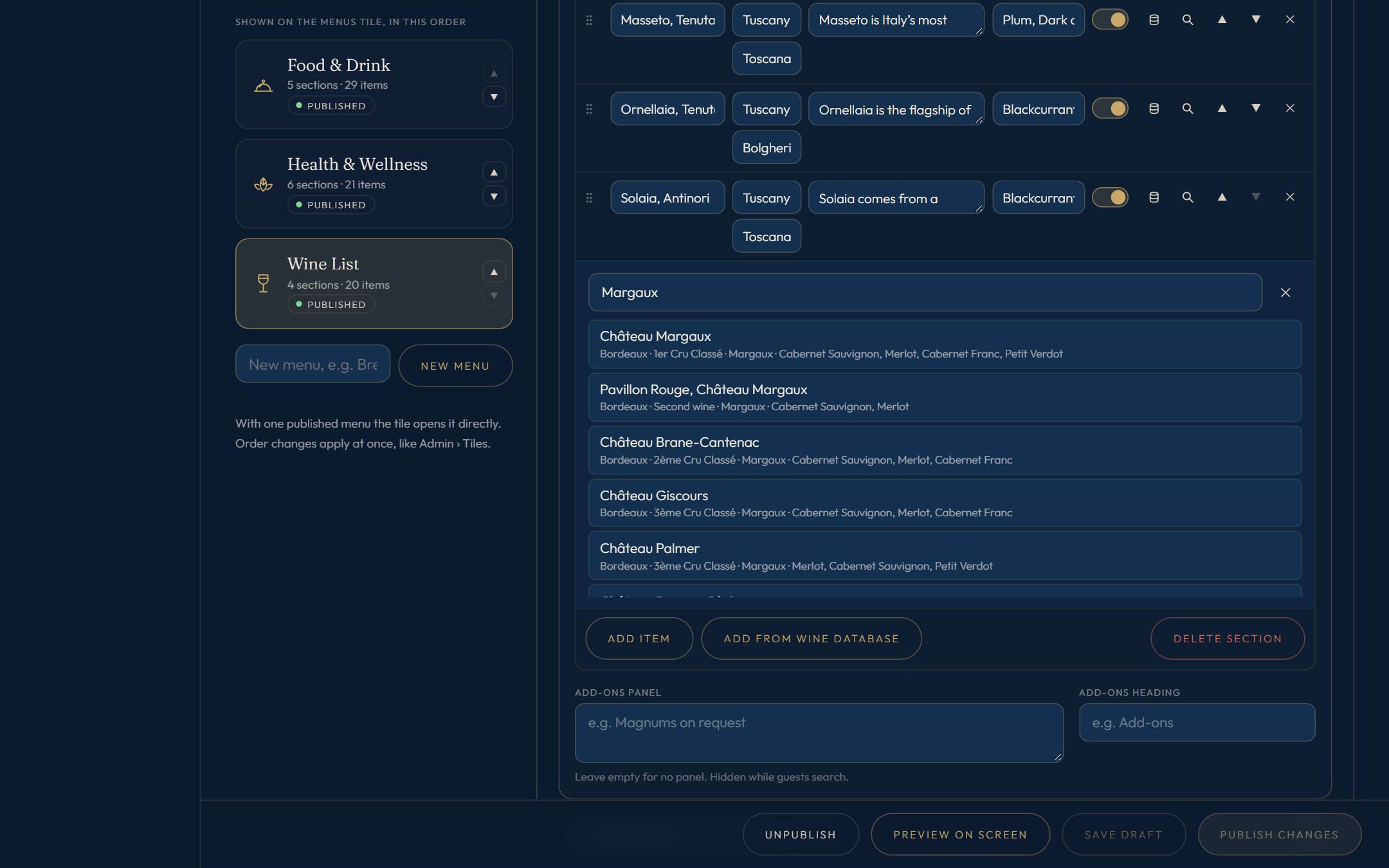
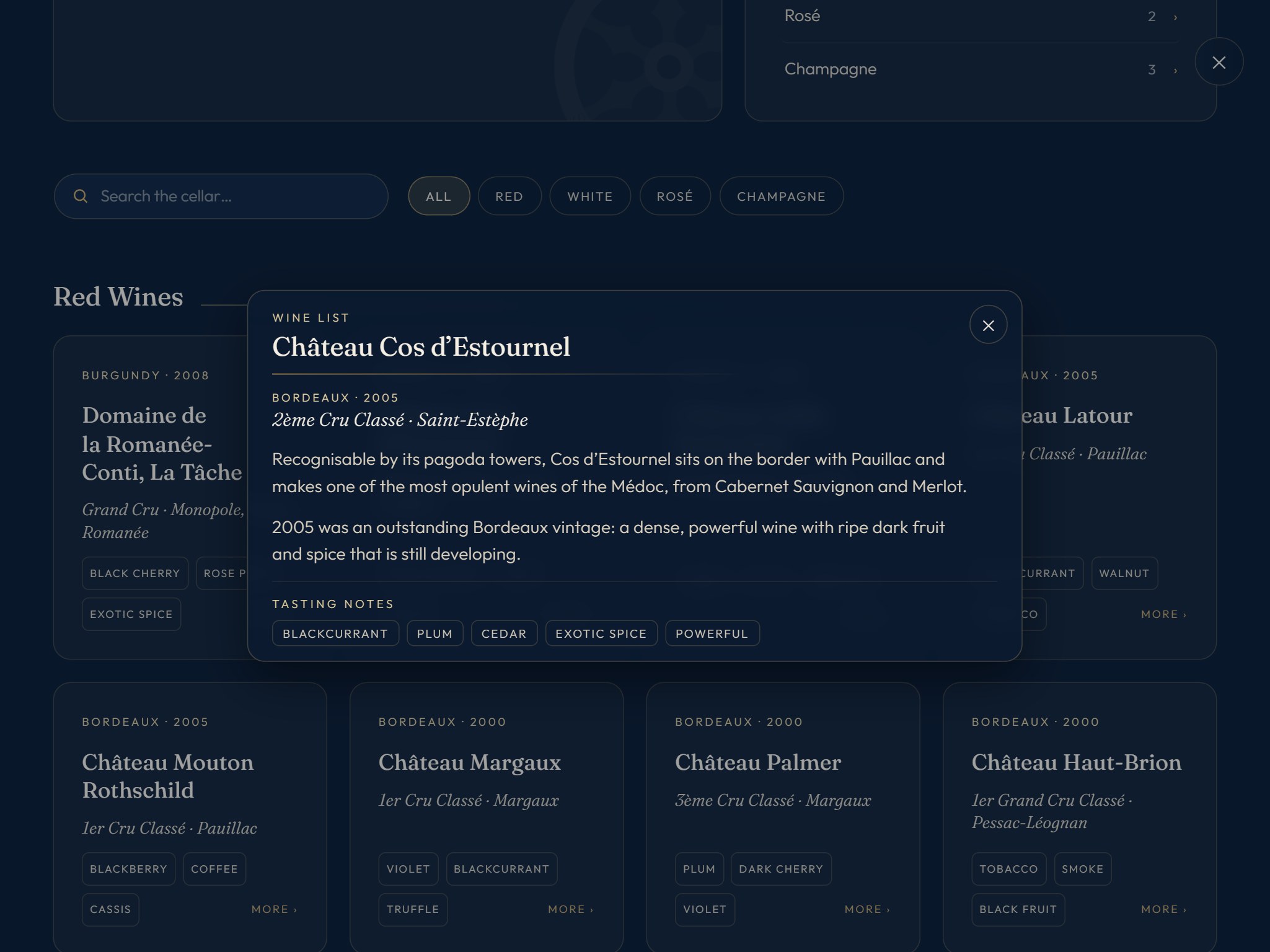
Add the vintage and a line about the year; everything filled in can be changed before it reaches the screens.
A bottle you add by hand can be saved into the yacht’s own database, so it fills the next list in one go.
When the yacht is online, new wines are downloaded and added once a day. The yacht’s own wines are never touched.
Part of the Wine database add-on.
On the TVs
After a few idle minutes, each TV turns into a full-screen loop: the live map with the forecast, the weather, where you are, today’s plan, a crew member, the menus and the safety video. A press on the remote or a touch brings the home screen back.
05 · For the crew
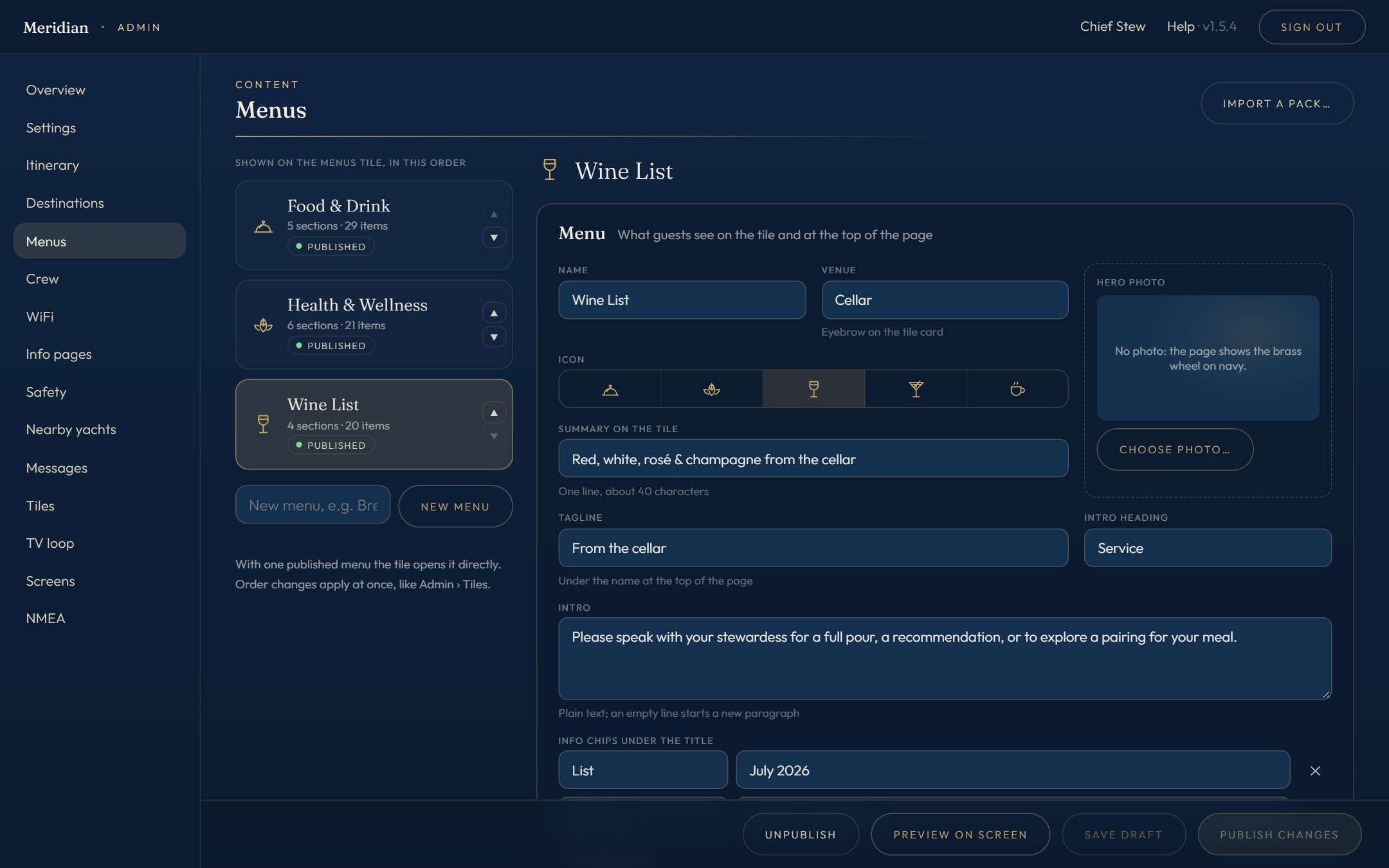
Changes stay drafts until you publish. Screens update the moment you do: no reloading, no visiting each cabin.
Group screens by cabin or area, so each cabin shows its own WiFi voucher and its own tiles.
Short notices such as “Tender leaves at 16:30”, scheduled to appear and disappear on time.
Destination and menu packs import in a click, with photo credits kept; or start from a blank page.
The yacht’s name, emblem and home-screen photo; tiles renamed, reordered or switched off.
Editors see only their own sections: the chef the menus, the purser the itinerary. A change log shows who changed what.
06 · How it works
Onboard runs on a small server aboard the yacht, not in the cloud. Screens keep working with no internet at all; when a connection is there, it quietly fetches forecasts, AIS and map tiles and keeps them for later.
07 · Packages
One licence per yacht: the Onboard base package, plus add-ons for the features that matter on board. Add one later with a new licence key and it switches on; take one away and nothing you have made is lost.
Base package
Everything to run the screens and the admin.
Add-on
Nearby yachts: the tile, the page and the TV loop card, with other vessels and your tender on the live map.
Add-on
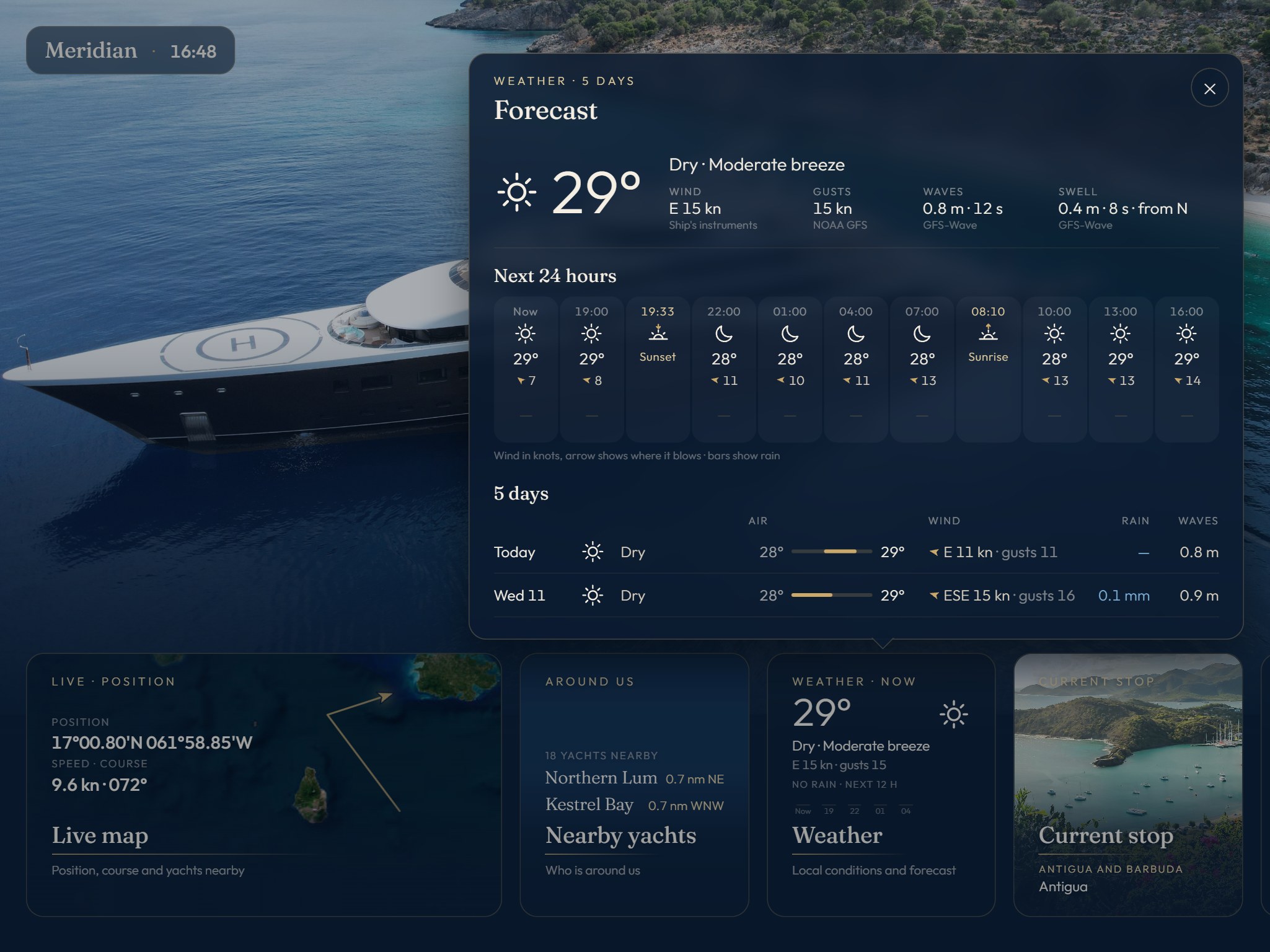
The weather tile and five-day forecast, and the live map’s wind, swell, temperature and rain layers.
Add-on
About 330 wines to fill your wine list from, and a wine list with details: descriptions that open on press, classifications and tasting notes.
Add-on
Group screens by cabin or area, each with its own tiles, messages and WiFi card, and its name on screen.
One-off
Ready-made destination pages with photos, by region: the Caribbean, the Bahamas, the French Riviera, Sardinia & Corsica, Italy, Croatia & Montenegro, Greece and Turkey.
Try it for 30 days. The trial includes every add-on and one destination pack of your choice.
Base package
€1,000 per year
The Onboard licence for one yacht
Add-ons
€500 per year, each
AIS, Weather, Wine database, Screen groups
Destination packs
€250 each, one-off
or all eight regions for €1,000
Next steps
Contact
Tell us about your yacht and her AV system, and we’ll send the prospectus and arrange a demonstration.
Email us